Liberty now offers 24/7 customer service islandwide

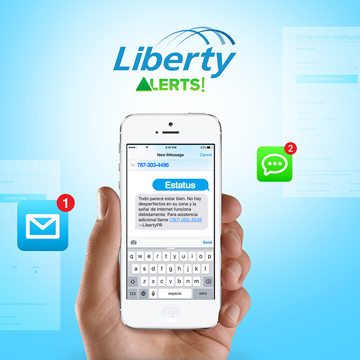
To configure Liberty Alerts, customers need to log in to Mi.LibertyPR.com and enter their username and password.
Liberty Puerto Rico announced Monday it is now offering customer service 24 hours a day, seven days a week throughout the entire island. The company has also expanded its technical operations to offer technical support service on Sundays as well. Both services are available for residential customers.
“This is another effort in our continuous drive to offer the best service experience to our customers,” said Naji Khoury, president and CEO of Liberty Puerto Rico. “Our customers use our telecommunication services at all hours and it’s important for us to adapt to their needs and help them whenever they need it 24 hours a day, seven days a week.”
In addition to the company’s customer service phone line (787) 355-3535, Liberty subscribers have several ways to contact the Customer Service department after hours. They can send a message to the “Contact Us” section of Liberty’s web page www.libertypr.com or to the inbox of the company’s Facebook page www.facebook.com/LibertyPR.
Liberty also has a new tool to facilitate customer service for customers who have already registered their mobile phone numbers at Mi.LibertyPR.com. These new services include checking their account balances, receiving bill alerts and payment reminders, verifying if there are any service interruptions in their coverage area, as well as confirming technical service appointments. Customers can set up the alerts in either English or Spanish.
To configure Liberty Alerts, customers need to log in to Mi.LibertyPR.com and enter their username and password. If they don’t have an account at MiLiberty, they will need to create one first. After which, they should go to the main menu, located on the upper left section of the screen, and select the notification configuration section. Once there, customers can enter their mobile phone numbers and accept the alert consent terms. Finally, they should enter the confirmation code to start receiving their alerts.